TTSkyAnnot · star chart annotator
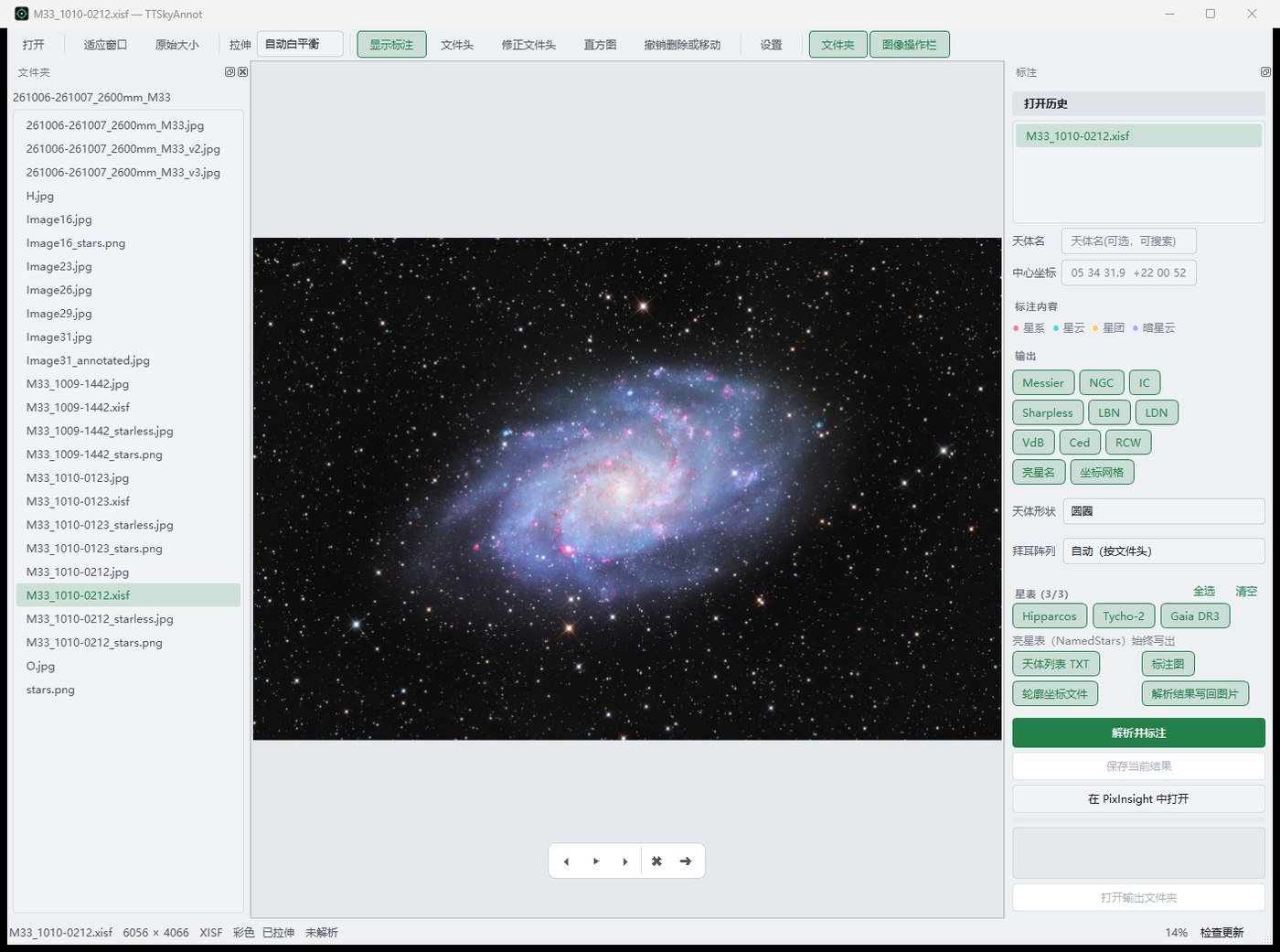
Look, solve, annotate — one program does the lot. A clean look at the FITS from ASIAIR and N.I.N.A., a reliable plate solution, the catalogue drawn over the picture, and the wrong focal length or pointing in the header put right on the way.
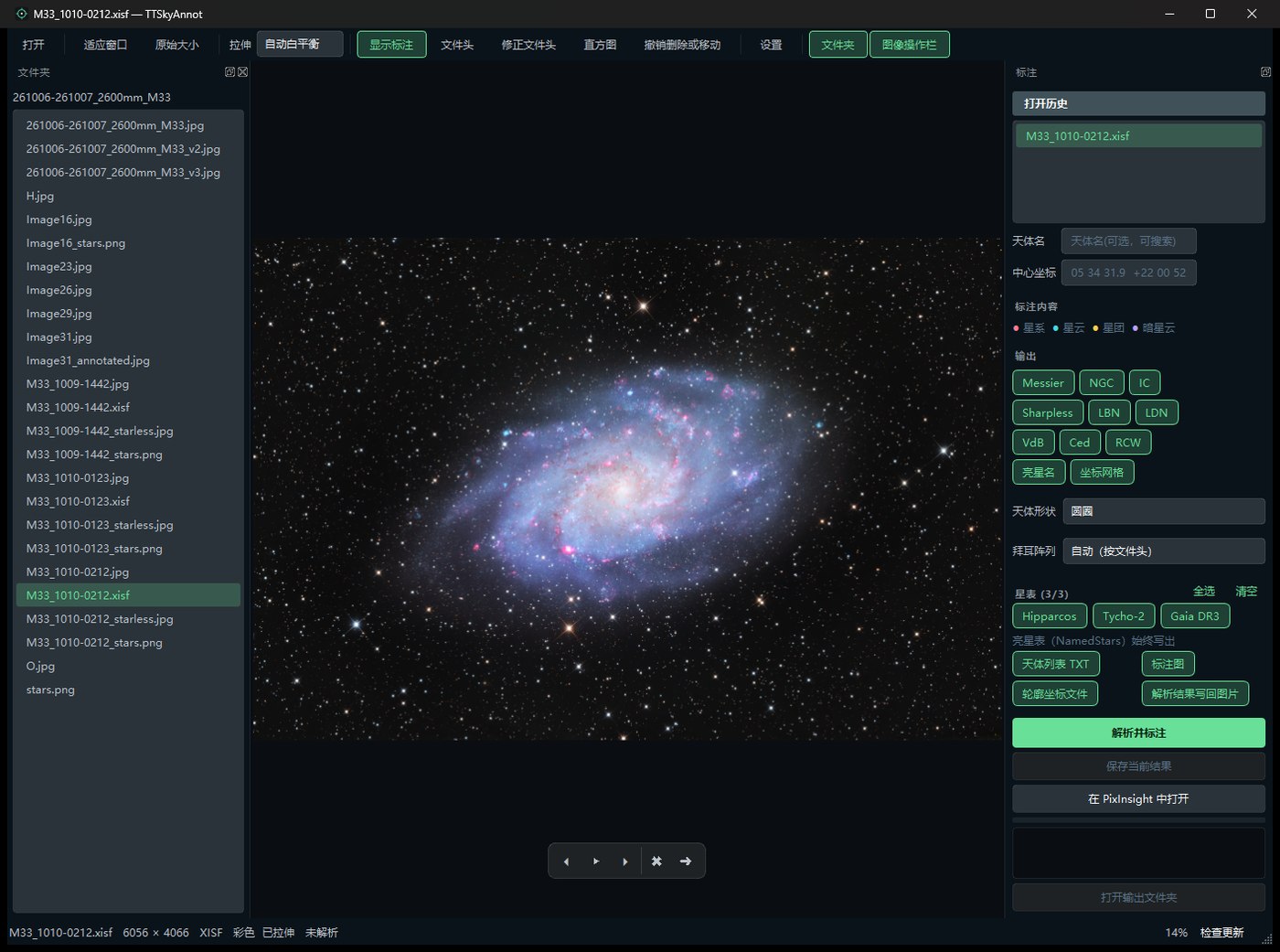
One pipeline, from opening a frame to annotating it
Built so a whole night of frames goes through in one pass: look, solve, annotate, write — all in one window, and the keyboard is enough.
Viewing: linear frames stretched, finished frames as stored
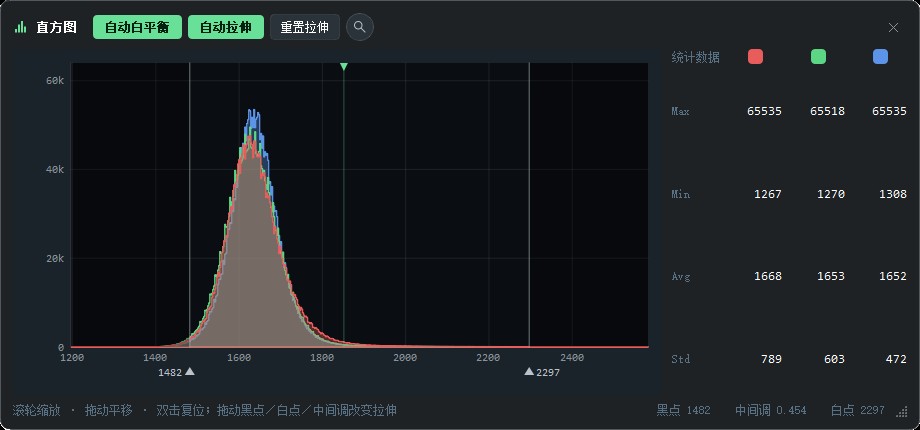
A single FITS is debayered, white-balanced and put through one curve; a finished picture (XISF, JPEG, or an already-stretched FITS) is recognised and shown as it is, never stretched twice. The histogram zooms and drags its black, white and midtone points, and the dark and light themes switch instantly.
XISF: PixInsight’s own source file, opened directly
PixInsight saves its images as XISF (32-bit float, compressed blocks, channel-first layout). No export to FITS or JPEG first: the original file opens straight in the viewer and is shown as stored. Most viewers only read FITS and common image formats, so XISF usually means PixInsight itself.
Solving: online, offline, and a fallback
ttastro online first (only star positions are uploaded), then the local ASTAP, then nova.astrometry.net. When the header already holds a solution it is checked against the stars in the picture and used when it fits.
Annotation: 13.7k objects
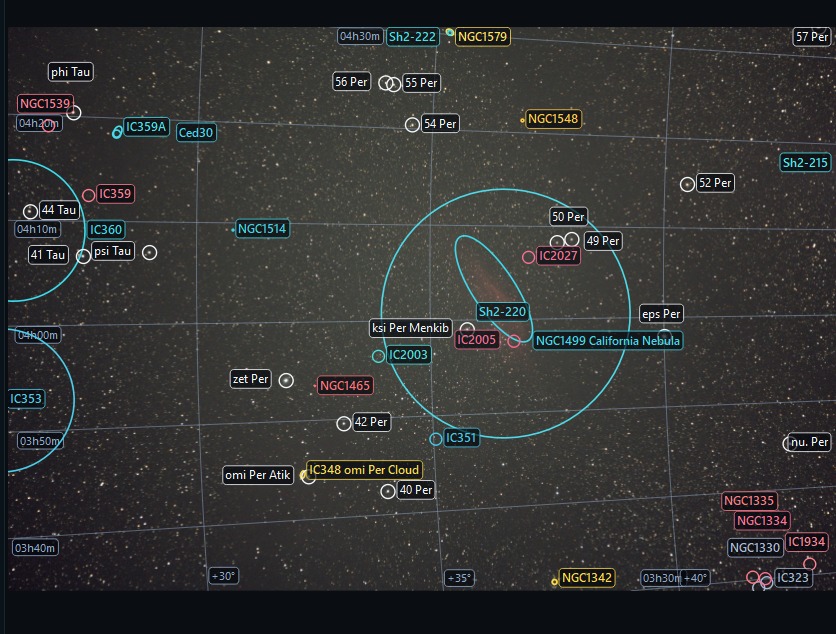
Messier, NGC, IC, Sharpless, LBN, LDN, Caldwell, Barnard — plus Hipparcos, Tycho and Gaia star names and a coordinate grid; labels stay inside each object’s outline and do not wander when you zoom.
Centre coordinates: type RA / DEC
No object name needed: enter the coordinates of the frame centre and they are used as the solving hint — more reliable than the mount’s pointing, and even wide fields solve in one go.
Fix the header: focal length, pixels, pointing
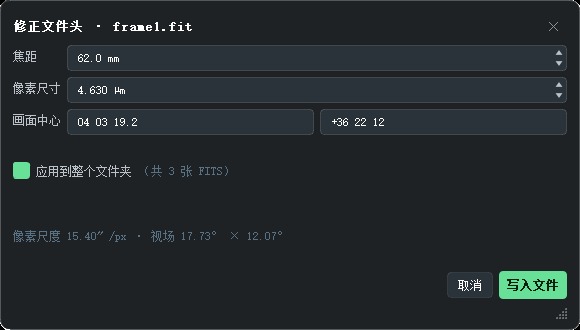
Wrong lens in the header, or another telescope’s focal length? Write FOCALLEN, XPIXSZ, RA/DEC and OBJCTRA/DEC back — one frame or a whole folder, with progress and cancel.
The solution comes with you
Object list TXT, outline coordinates, an annotated preview, and the WCS written into the original file (a sidecar .wcs for JPG/PNG/TIFF) — PixInsight and SiriL then open it with the coordinates. Every output has its own switch.
Updates in the app
The feed is checked in the background at start: one click downloads, verifies SHA-256, replaces and restarts. Settings sit beside the program and survive the upgrade.
Details where they are used
Labels take a colour per kind of object, each object its own shade; the histogram, settings and header fix share one card style — a drawn title, one close button, Esc to leave.
Unzip and run
- 1Download the Windows zip above and unzip it anywhere — portable, nothing to install.
- 2Double-click
TTSkyAnnot.exe. Settings sit inconfig.jsonbeside it; the whole folder can be copied to another machine. - 3Optional: point Settings at
astap.exefor offline solving; online solving goes to ttastro.com and uploads star positions only.
Every release is found automatically from Settings → update source; you can also download the newest zip and unpack it over the folder — settings are kept.